Mesh vs a single router: when you actually need mesh
A second box on the network is not always an upgrade. The question is whether your problem is range or capacity — and those have different answers.
Mesh is sold as the fix for bad Wi-Fi, which is why so many people buy it and stay unhappy. A mesh kit solves exactly one problem well: signal that does not reach. If your complaint is that video calls stutter while four other people are streaming, adding nodes will not help much, and may make things marginally worse.
Before you spend anything, work out which problem you actually have.
Range and capacity are different problems
A range problem looks like this: the far bedroom shows one bar, speeds collapse at the end of the hallway, the garage drops off entirely. Walk toward the router and everything improves. The signal is running out before the building does.
A capacity problem looks different: signal strength is fine everywhere, but performance falls apart at particular times — evenings, or when several people are on at once. Standing next to the router does not fix it.
Mesh addresses range. It puts a second and third radio closer to where you are, so the last hop is short and strong. It does very little for capacity, because every node still shares the same airtime and the same connection to the outside world. If anything, a badly placed node spends airtime relaying traffic that a single well-placed router would have carried directly.
Diagnosing this takes ten minutes. Run a speed test standing next to the router, then again in the room that bothers you. If the number falls off a cliff as you walk away, that is range, and mesh is the right tool. If both readings are similar and both are bad at 8pm, that is capacity, and you want a faster internet plan, a better single router, or wired connections for the heaviest devices.
The backhaul is the whole game
Every mesh node has to get its traffic back to the router that faces the internet. That path is the backhaul, and it decides whether the kit is worth having.
The cheapest kits share one radio between your devices and the backhaul. Each node then roughly halves throughput, because the same radio has to receive a packet and re-transmit it. Two hops out and you are down to a quarter. This is where the "I bought mesh and it got slower" stories come from.
There are two good answers. The first is Ethernet backhaul: run a cable to each node. It is unglamorous, it is the best-performing option by a wide margin, and if you have existing cabling or can get a cable into a wall, take it every time. Almost every mesh system supports it, usually with no configuration beyond plugging the cable in.
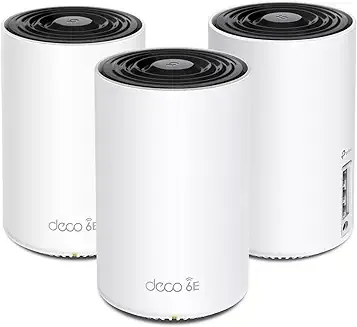
The second is a dedicated backhaul band. Tri-band kits keep one radio for node-to-node traffic and leave the others free for clients. On Wi-Fi 6E systems that dedicated band can be 6 GHz, which is close to empty in most buildings — no neighbours, no legacy devices, no microwave ovens. The Deco XE75 is a straightforward example of that arrangement.
Note the trade-off with 6 GHz: it is fast and clean, but it does not travel through walls as well as 5 GHz. A 6 GHz backhaul wants nodes with reasonable line of sight to each other. Put a node two floors up behind a masonry chimney and the system will quietly fall back to 5 GHz, and you will have paid for a band you are not using.
When one router is the right answer
Plenty of buildings are well served by a single good router, and it is usually the cheaper and faster option.
Consider one router if your space is broadly open-plan, under roughly 1,800 square feet, and you can put the router somewhere central and out in the open — not in a cupboard, not in the basement corner where the line happens to enter. Router placement is the single most under-rated variable in home Wi-Fi. Moving a router from a floor-level cabinet to an open shelf at head height routinely does more than a whole mesh kit would have.
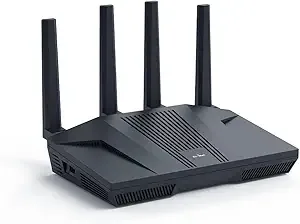
A capable single router also gives you headroom a mesh kit may not: multi-gigabit WAN ports, better CPU for VPN throughput, and firmware you can actually configure. Something like the Flint 2 with a 2.5G WAN port and OpenWrt is a more flexible foundation than a three-pack of sealed consumer nodes, if you are willing to spend time in a settings page.
There is a third option people forget. If you have one stubborn dead zone rather than general weakness, a single access point wired back to the router fixes that zone without restructuring the network. A wall-plate unit like the XV2-22H drops into an existing Ethernet run and is powered over that same cable. For a hotel room, an office, or an apartment with a wired wall socket, this beats mesh comfortably on both price and performance.
Do not forget the modem
Mesh systems replace routers. They do not replace modems.
If your service is cable or DSL, something has to convert that signal to Ethernet before the mesh can do anything. Fibre and fixed-wireless services usually hand off over Ethernet already, in which case the mesh can connect directly. Check what your provider's box actually is before you order.
Where the existing box is a combined modem-router — common with carrier-supplied equipment — you will want to put it into bridge or modem-only mode. Leaving both devices routing gives you double NAT, which mostly works but breaks port forwarding, some VPN clients, and a lot of game consoles' connection tests. Your provider's support line will know the setting; it is usually a single toggle.
Last thing: no amount of Wi-Fi hardware creates bandwidth you are not paying for. If the line delivers 50 Mbps, a mesh kit distributes 50 Mbps more evenly. That is worth having. It is not the same as being faster.
If you are unsure which of these you are looking at, call us and describe the building. It is a five-minute conversation and it regularly saves people a few hundred dollars.